How to select renovation products for a room in FUTURIO Home: from floor plan to actual tile
How to select renovation products for a room without drowning in twenty store tabs? In FUTURIO Home, it starts with your plan: the app already knows the area, the doors and the outlets, and suggests specific items from its catalog. Here’s a real example — 7.7 m² of tile and a bathtub.
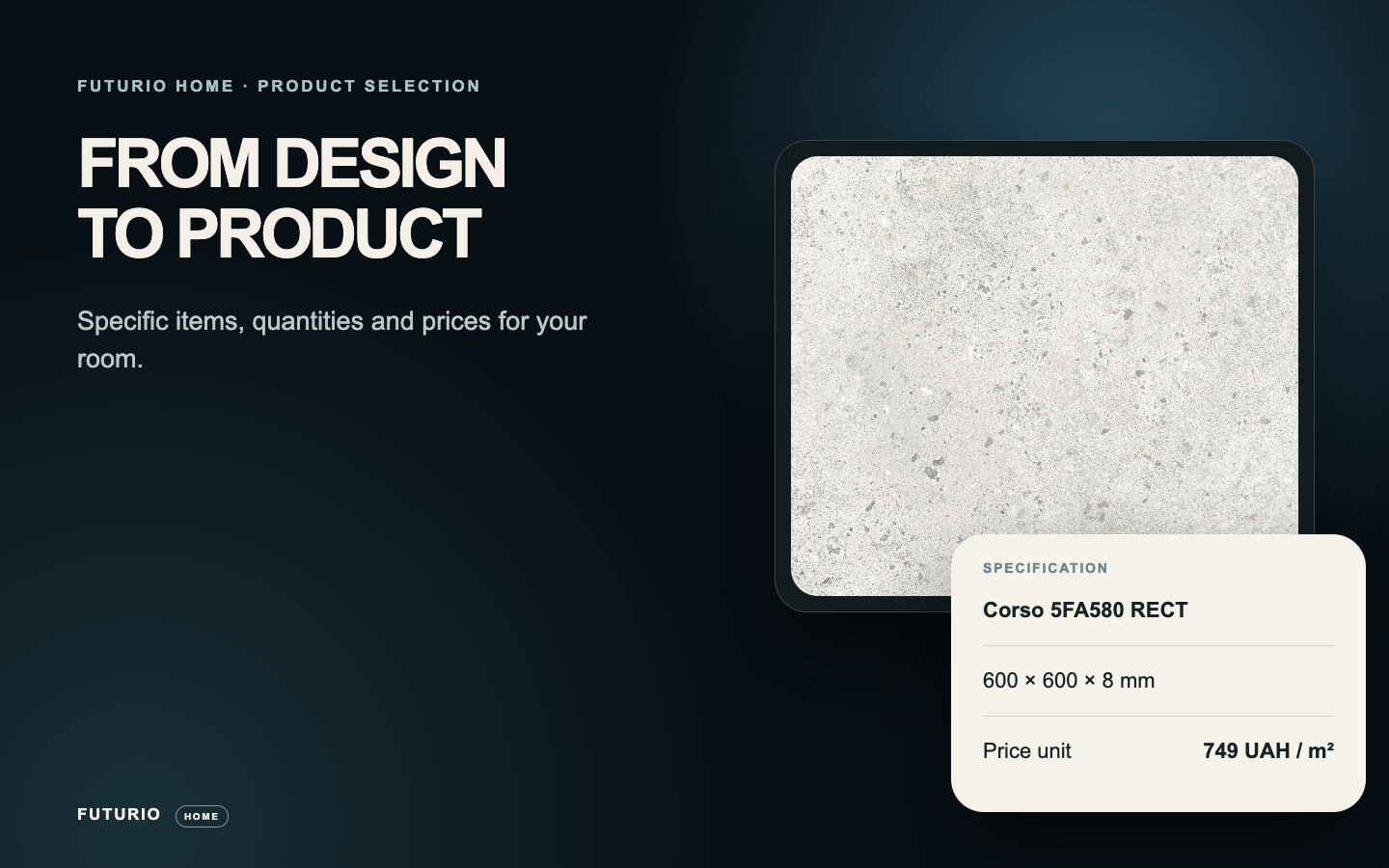
A few numbers to get your bearings: 7.7 m² of tile including allowance, $24.99/m², a displayed total of $192.99. It’s a real product with a photo, name and format, not a render texture. And to be clear up front: that’s the tile in this example, not the cost of a whole renovation.
Selection starts with the plan, not the catalog
First, the project needs dimensions and decisions: room shape, flooring, doors, equipment. From those, Home builds a list of categories. Flooring and skirting depend on the geometry, hardware on the doors, electrical items on the outlets and switches you placed. A bathroom adds wall tile and fixtures.
Our example opens Home’s internal tile catalog. The screenshot shows filters for tone, 600 × 600 size and matte finish, next to actual product photos, names and prices. You’re choosing a product, not just a color in 3D.
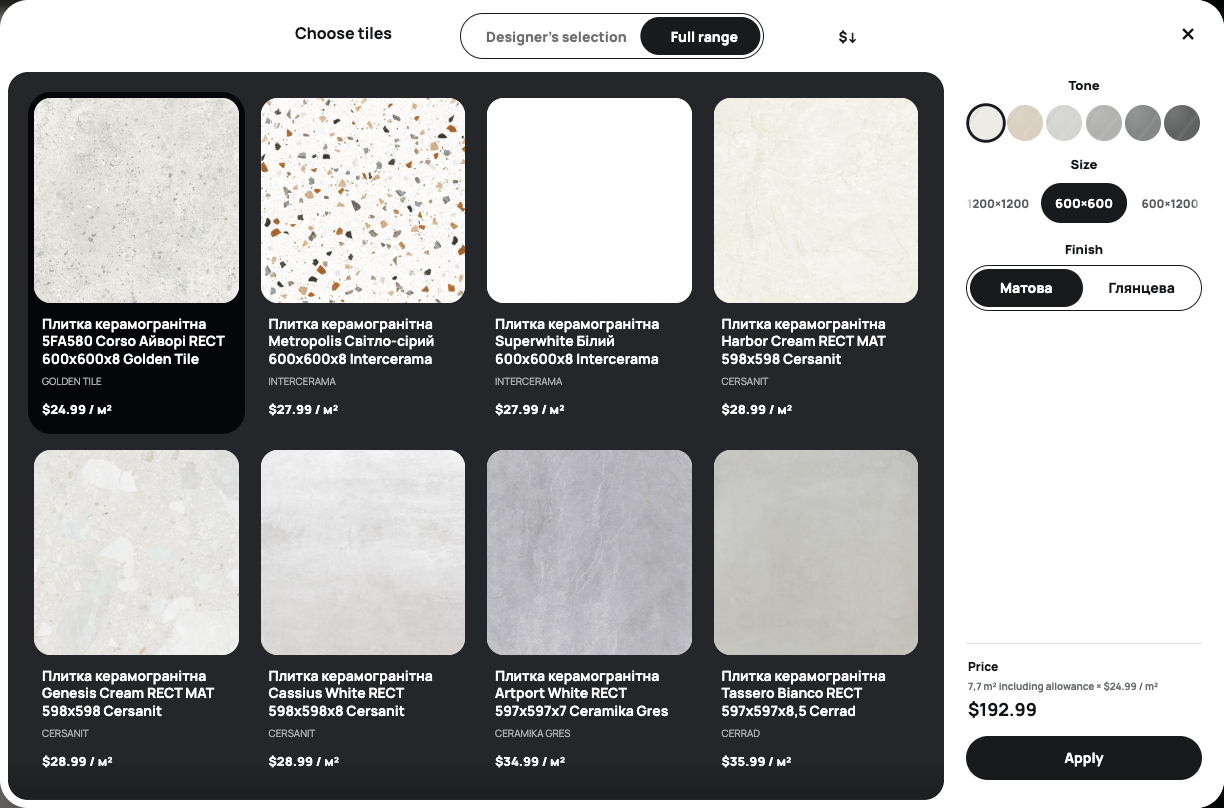
Product selection makes sense once the room is defined — it drives quantities and categories.
How much tile, and what it costs
Take the item in the screenshot: Corso 5FA580 RECT, 600 × 600 mm, $24.99 per m². The panel shows a required 7.7 m² including allowance and a $192.99 total — for this one selection.
The allowance is already in the area, so don’t add it twice. And don’t confuse area with box count: pack size and selling multiples depend on the product. When comparing alternatives, keep the required area the same so the price difference is honest.
You get a specific item, the required area and a catalog total.
Bathroom fixtures live in the same place
If your project includes a bathroom, open that category. The catalog lets you switch between bathtubs, basins and taps. Each bathtub card shows a photo, model, installation type, dimensions and price — the Lana 140 × 70 cm, for example, is listed at $244.99.
Check the model against the space and installation type in your plan. And don’t add its price to the $192.99 tile total: these are two separate screen examples, not one room configuration.
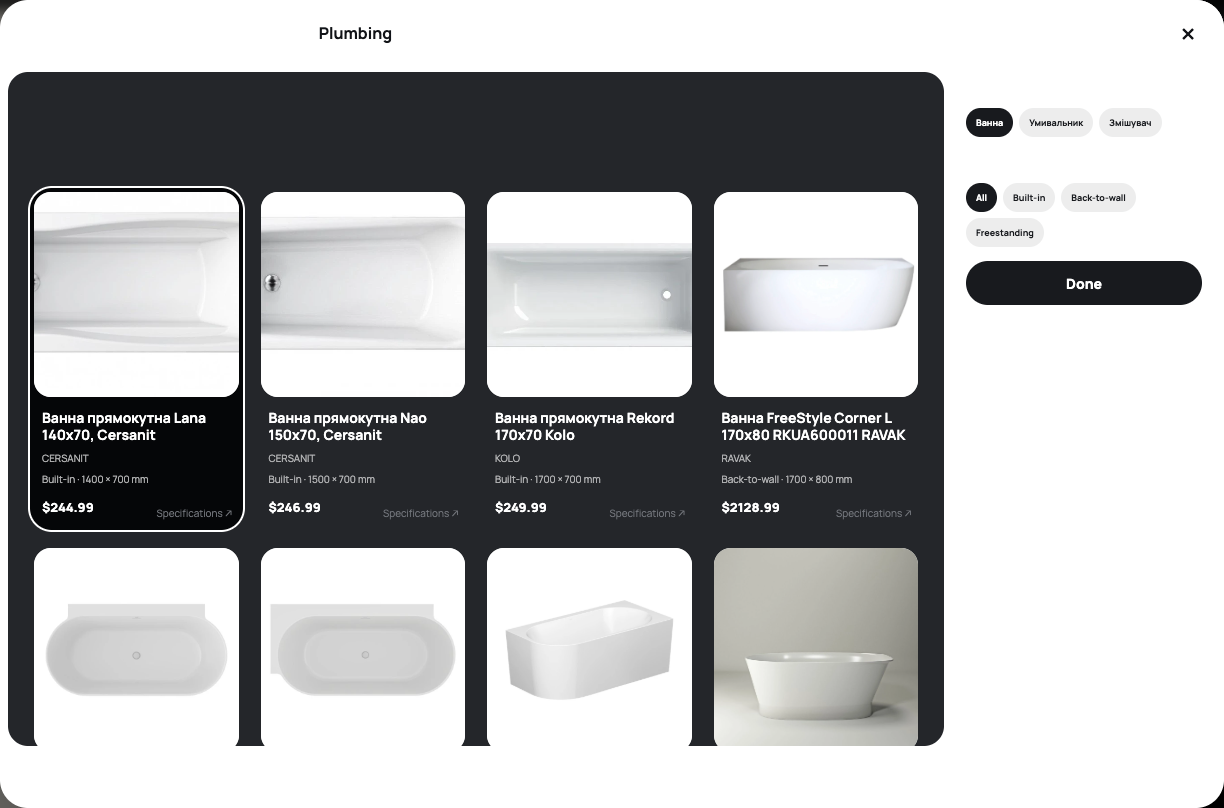
The catalog covers equipment, not just finishes — check each item against your project.
What to check before you hit “order”
The product selection gives you item lines and a total for priced products. A card marked “price on request” doesn’t count toward it. Change the room or the product and the calculation updates, so comparing options before talking to a seller or contractor is easy.
Before ordering, confirm current price, availability, pack size, shade and what’s included. Keep merchandise separate from labor and delivery: the screenshot supports a tile calculation, not a full renovation quote.
Next step: save your selection in the project and talk to sellers about specific items and quantities.
Verdict: fewer tabs, more specifics
The most valuable part is the link between the plan and the cart. You don’t calculate area by hand, the allowance is built in, and instead of “some wood-look tile for about 25 bucks” you see a specific SKU, format and total. That’s a different level of conversation with a seller.
But it isn’t a renovation quote. Labor, delivery, adhesive and grout sit outside this calculation, and prices and stock need checking on the day you order. Use Home to narrow the choice and compare options, not as a final invoice.
Home answers “what and how much”; “what’s the all-in cost” is still your contractor’s call.